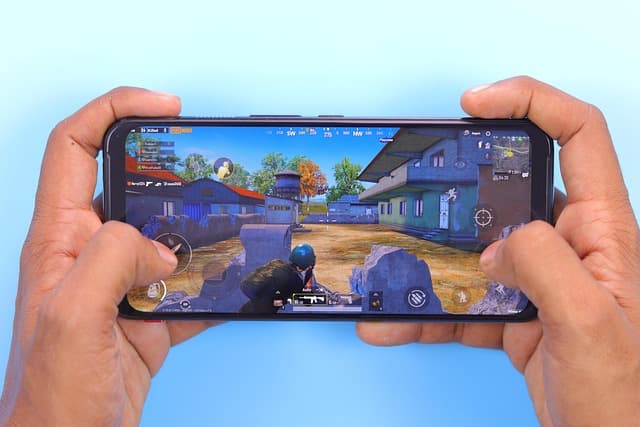
Optimizing games for Android is a key aspect that significantly affects the overall user experience. Every year, technology advances and mobile devices become more powerful. However, not all developers manage to adapt their projects to new standards and requirements.
In the highly competitive mobile gaming market, it is important not only to create a high-quality and interesting game, but also to ensure its stable performance on various devices. Incorrect optimization can lead to low performance, high hardware requirements, and, as a result, a loss of interest on the part of players.
In this article, we will look at the main methods and techniques for optimizing games for the Android platform. We will discuss how to properly manage resources, work with graphics, and minimize processor load to ensure smooth and enjoyable gameplay on different devices.
Optimizing Android Games: A Complete Guide for Developers
Optimizing Android games is a process that has become one of the most important tasks for developers in an era where users expect instant loading and smooth gameplay. Poor performance and long loading times can lead to a bad user experience and, consequently, a decline in the game’s popularity. In this article, we will cover the main aspects of optimizing Android games, including graphics, performance, memory management, and some best practices.
It is important to understand that optimization begins in the early stages of development and continues throughout the game’s life cycle. By focusing on optimization, you can significantly improve performance and make your game more accessible to a wider audience.
The first thing to consider when optimizing games for Android is the target audience and the devices on which the game will run. Android includes a huge variety of devices with different characteristics. Therefore, it is important to choose the appropriate parameters and settings that will allow the game to run on most devices while ensuring a good level of graphics and smoothness.
Let’s take a closer look at the main aspects of optimizing games for Android.
- Graphics optimization
Graphics are one of the most noticeable areas where you can save resources. Effective use of textures, animations, and shaders can significantly improve game performance. Here are some tips for optimizing graphics:
- Texture compression: Using texture compression formats such as ETC2 or ASTC can significantly reduce image size without losing quality.
- Level of detail scaling: Use different levels of detail (LOD) for objects at different distances to reduce the load on the GPU.
- Shader optimization: Ensure you are using the most efficient shaders. Avoid unnecessary complexity in calculations.
- Memory Management
Proper memory management is essential for Android, where resources are typically limited. Optimizing memory usage helps avoid crashes and freezes. Some memory management techniques include:
- Removing unused resources: Ensure that you only load resources that are necessary for the current level or scene.
- Using object pools: For objects that are constantly being created and destroyed, such as enemies or bullets, use object pools to minimize memory allocation overhead.
- Monitoring memory usage: Use tools such as Android Profiler to monitor memory usage and identify leaks.
- Cleaning up resources: Make sure to free up resources when they are no longer needed, especially for large files such as textures and sounds.
- Optimizing game algorithms and logic
Optimization isn’t limited to graphics and memory. Efficient algorithms and game logic also play a key role in performance. Here are some tips:
- Avoid heavy operations in the main thread: Separate heavy computations, such as physics and AI, from the main thread to avoid game stalls.
- Use caching: Where possible, cache the results of complex calculations so that they don’t have to be performed repeatedly.
- Loop optimization: Try to avoid unnecessary iterations in loops, thereby reducing the load on the processor.
- Performance testing
Testing is an important step in the optimization process. Regularly testing your game’s performance will help you identify bottlenecks and areas for improvement. Developers can use the following tools:
- Android Profiler: This tool helps you monitor CPU, GPU, memory, and network operations in real time.
- Unity Profiler: If you are developing on Unity, use the built-in profiler to analyze performance and detect potential issues.
- GameBench: A paid but powerful tool for analyzing performance on mobile devices.
5. User interface (UI) optimization
The user interface can also consume significant resources if it is not optimized. Here are some tips for increasing interface performance:
- Minimize the use of layers: Each additional layer in the graphical interface increases the load on the GPU. Try to minimize the number of layers and objects.
- Use texture atlases: Instead of loading each texture separately, use texture atlases to reduce the number of rendering calls.
- Dynamic interface creation: Create the user interface dynamically only when necessary.